Get the 8www o App: Live Casino, Slots & Cricket Betting in Your Pocket
The 8www o App brings every game from the casino lobby straight to your Android phone. Live dealer tables, slots, Aviator crash, and cricket betting — all accessible with one tap. Deposit via bKash or Nagad in under three minutes without opening a browser.
Scan the QR code below on your phone to go directly to the download page — no typing required.
Is the APK Safe? Security & Permissions Explained
The 8www o App is not on the Google Play Store — that is normal for licensed gaming apps in Bangladesh. The APK is published directly by the platform and is scanned before every release. Here is what the app does and does not access on your device.
SSL Encrypted Connection
All data between the app and our servers travels over TLS 1.3 encryption. Your login credentials, payment details, and account balance are never sent in plain text. The same protection used by Bangladesh's major banks is active every time you open the app.
No Camera or Microphone Access
The 8www o App does not request camera, microphone, or contacts permissions. It only asks for internet access and the ability to install from unknown sources (required for all APK installs). You will not see permission prompts you do not expect when you open the app for the first time.
Verified APK — No Third-Party Mirrors
Only download from the official link on this page: /download/8wwwo.apk. Do not use third-party APK sites or Telegram groups that share modified versions. A tampered APK may steal your login details. The official file is always the most recent version (currently v3.7.8).
Account-Level Security Inside the App
Your account uses the same login credentials as the website. You can enable a PIN or pattern lock from the account settings menu once you are signed in. If your phone is lost or stolen, contact 24/7 live chat support immediately to freeze your account — your funds stay locked until you verify your identity.
Android APK Install: Step by Step
Installing the 8www o App takes about two minutes on any Android phone running version 7.0 or later. Follow these five steps exactly and you will not run into the common "install blocked" error.
-
1
Allow Installation from Unknown Sources
Open your phone's Settings → Security (or Privacy → Install Unknown Apps on Android 8+). Find your browser (Chrome, Firefox, or the Samsung browser) and toggle "Allow from this source" to ON. You only need to do this once. Android calls any APK not from the Play Store an "unknown source" — this is standard, not a warning about safety.
-
2
Download the APK File
Tap the Download APK button on this page. Your browser will download the file
8wwwo.apk(36 MB) to your phone's Downloads folder. If you are on a mobile data connection, make sure you have at least 50 MB free to allow for the install. Wi-Fi is faster but not required. -
3
Open the Downloaded File
Pull down your notification bar and tap the completed download notification — it will say "8wwwo.apk — Download complete." Alternatively, open your Files or Downloads app, find 8wwwo.apk, and tap it. Android will show an install confirmation screen listing the app name and version (3.7.8). Check that the version matches before continuing.
-
4
Tap Install and Wait
Tap the blue Install button. Android will unpack and install the app in about 10–20 seconds. When the screen shows "App installed", you are done. Do not close the screen or put your phone to sleep during this step — a sleep-interrupted install can cause the app to open blank on first launch.
-
5
Log In or Register Your Account
Tap Open on the install confirmation screen, or find the 8www o icon on your home screen. If you already have an account, go to the login page and enter your credentials. First-time users can register a new account directly inside the app — it takes under three minutes and your first deposit bonus applies immediately.
Using an iPhone? Add to Your Home Screen
There is no native iOS app available yet. iPhone and iPad users can get a near-identical experience by saving the website as a shortcut — it opens full-screen without the browser bar, just like a real app.
- 1 Open https://8wwwo.com in Safari on your iPhone (Safari is required — Chrome on iOS does not support home screen shortcuts).
- 2 Tap the Share button at the bottom of the Safari screen (the box with an arrow pointing upward).
- 3 Scroll down in the share sheet and tap "Add to Home Screen." You can rename it to "8www o" if you like.
- 4 Tap Add in the top-right corner. The icon appears on your home screen and opens the site in full-screen mode — no browser address bar, no tabs.
8www o App: Version & System Requirements
Check the table below before you download. If your Android version is below 7.0, the app will install but some live dealer streams may not load correctly.
| App Version | 3.7.8 |
|---|---|
| File Name | 8wwwo.apk |
| File Size | 36 MB |
| Minimum Android | Android 7.0 (Nougat) or higher |
| Last Updated | 14 November 2026 |
| Price | Free — no in-app purchase fees |
| Languages | English, Bangla |
| Platform | Android (APK); iOS via Safari shortcut |
| Internet Required | Yes — Wi-Fi or mobile data (4G/5G recommended for live tables) |
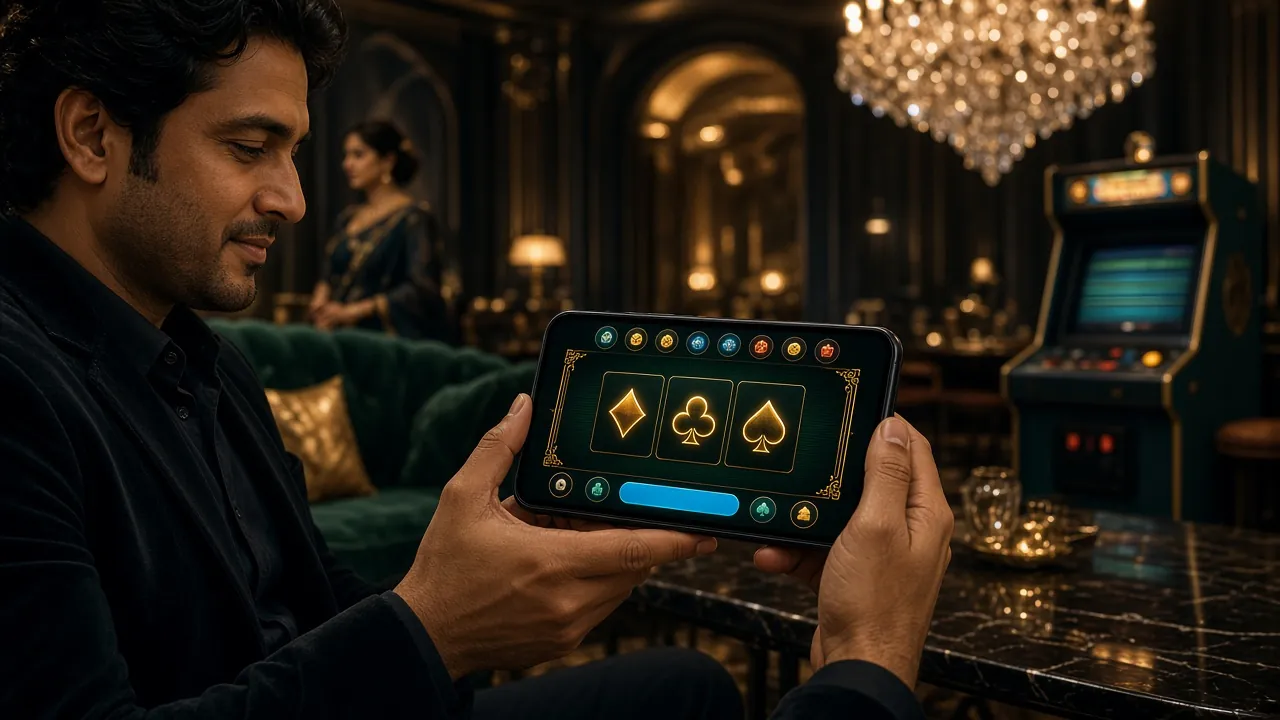
The app opens directly to the live casino lobby. Switch between categories — slots, crash, sports — from the bottom navigation bar.
Six Things the 8www o App Does Better Than a Browser Tab
The app is not just a resized website. It is built for one-handed play on a 6-inch screen, with faster loading for live tables and push notifications when your withdrawal is processed.
Live Casino Without Buffering
The app pre-loads the video stream before you tap a table. On a 4G connection you get the live dealer feed running within two seconds of opening a room. Games available include Blackjack MH (FA Chai, RTP 97.5%), Ezugi live tables, and Evolution titles. Minimum bet on most live tables starts from ৳5.
Aviator & Crash Games on Mobile
Crash games like Aviator (FA Chai, RTP 96.4%) need fast tap response — the app registers your cash-out tap in under 100ms, which is noticeably faster than the mobile browser. You can place two simultaneous bets from the same screen and watch both multipliers climb. Minimum bet is ৳10, maximum ৳50,000 per round.
Cricket Betting with Live Score
IPL, BPL, T20 World Cup, and ODI series markets sit inside the sports section. The app updates match odds in real time — you see the same price as the web but without the page-refresh delay. In-play betting is available on most matches, including ball-by-ball markets. Deposit via bKash before the toss and your funds are live within three minutes.
Push Notifications for Withdrawals
Enable push notifications in your Android settings to get an alert the moment your withdrawal is confirmed — usually within 37 minutes. You will also receive notifications for reload bonuses and VIP tier upgrades. All notifications can be turned off individually from the app's notification settings without affecting account alerts.
bKash & Nagad Deposits in Three Minutes
The deposit flow inside the app is optimised for Bangladeshi mobile banking. Tap Deposit → bKash, enter the amount (minimum ৳150), confirm on the bKash prompt, and your balance updates. The same flow works for Nagad, Rocket, and Upay. No copy-pasting account numbers — the app handles the redirect automatically.
Full Game Library: Slots, Fishing & More
All games from the casino lobby are available in the app — over 2,900 titles from Pragmatic Play, Evolution, Ezugi, Spribe, and FA Chai. This includes fishing arcade games like Happy Fishing (RTP 96.7%) and Monster Plinko (RTP 97.0%). Browse by category or use the search bar. The casino lobby page lists every available title.


App vs Browser: Which Should You Use?
Both options give you full access to your account. The app wins on speed and notifications; the browser is better if you are on a shared or restricted device.
| Feature | 8www o App | Mobile Browser | Desktop Browser |
|---|---|---|---|
| Live stream load speed | Faster (pre-loads) | Standard | Standard |
| Push notifications | Yes | No | No |
| bKash / Nagad deposit flow | Optimised | Works — extra steps | Works — extra steps |
| Full game library access | All 2,900+ games | All games | All games |
| Crash game tap response | Under 100ms | Slight delay possible | Fastest on strong Wi-Fi |
| No install needed | Requires APK install | Open and play | Open and play |
| Works on shared / work device | Leaves app icon | Private tab available | Private tab available |
| Auto-login (saved session) | Stays logged in | Clears on browser close | Clears on browser close |
If you play live casino or Aviator daily, the app is the better choice. If you only log in occasionally, the browser version at 8wwwo.com works perfectly without installing anything.
Install Not Working? Five Fixes for Common Problems
Most install failures have one of five causes. Find your error message below and follow the fix — it should resolve in under two minutes.
| Problem | Most Likely Cause | How to Fix It |
|---|---|---|
| "Install blocked" or "Not allowed" | Unknown sources permission is off for your browser | Fix: Go to Settings → Security → Install Unknown Apps, find your browser (Chrome or Samsung Internet), and enable it. Then tap the downloaded APK file again. You do not need to re-download. |
| "Parse error" on install | The APK download was interrupted or corrupted mid-way | Fix: Delete the existing 8wwwo.apk from your Downloads folder. Connect to Wi-Fi, then re-download from this page using the official button. A file size that does not match 36 MB means the download was cut short. |
| App installs but opens blank white screen | Android WebView needs an update, or storage is full | Fix: Open the Play Store, search "Android System WebView," and update it. Also check that your phone has at least 100 MB of free storage. After the WebView update, force-stop the 8www o App and reopen it. |
| "Insufficient storage" during install | Less than 60 MB free on internal storage | Fix: Free up space by deleting unused apps or moving photos to your SD card. The app needs about 36 MB to install and an additional 15–20 MB for cache on first launch. Clear the cache of your phone's gallery or social apps to make room quickly. |
| Login fails after install | Wrong credentials or account not yet registered | Fix: Double-check your username and password on the login page. If you have not registered yet, the registration form is available inside the app — tap "New Account" on the login screen. Password reset is also available from the login screen. |
Common Questions About the App
Is the 8www o APK safe to install on my Android phone?
Yes — the official APK hosted at /download/8wwwo.apk is the only version you should install. It is scanned for malware before every release and uses TLS 1.3 for all server connections. The app does not access your contacts, camera, or microphone. Avoid any third-party APK mirror sites or Telegram files claiming to be the 8www o App — those versions may be modified.
How do I update the app when a new version comes out?
The 8www o App does not auto-update like Play Store apps. When a new version is released, you will see a banner inside the app saying "New version available — tap to update." Tap it to go directly to the download page. Download the new APK and install it over the existing version without uninstalling first — your account data and deposit history are stored server-side, so nothing is lost.
Can I use the same account on both the app and the website?
Yes. Your 8www o account is the same whether you log in through the app or the website. Your balance, bonuses, VIP points, and transaction history are all synced in real time. You can start a slot session on the app, switch to your laptop browser, and continue from the same position. Just make sure you do not have two sessions open on the same game simultaneously.
The app stopped loading after an Android system update — what happened?
Android system updates sometimes reset the "Install Unknown Apps" permission. Go back to Settings → Security → Install Unknown Apps and re-enable the permission for your browser. Also update Android System WebView from the Play Store. If the problem continues after those two steps, uninstall the app and reinstall the latest APK from this page — your account and balance are not affected.
Does the 8www o App work on an Android tablet?
Yes — the app installs and runs on any Android tablet running Android 7.0 or higher. The layout scales to larger screens and live casino streams look noticeably better on a 10-inch display. The app does not have a dedicated tablet layout but it adapts well. Minimum deposit and game requirements are identical to the phone version. Cricket betting and all sports markets are also available on tablet.
Can I deposit using bKash directly inside the app?
Yes. Tap Deposit from the app home screen, choose bKash, enter the amount (minimum ৳150), and confirm on the bKash prompt. The app redirects you back automatically and your balance updates within about three minutes. Nagad, Rocket, and Upay follow the same flow. Bank Transfer is also available for larger amounts. All deposit methods from the deposit guide work inside the app.
What should I do if my withdrawal has not arrived after 37 minutes?
Most withdrawals complete within 37 minutes. If yours has not arrived, first check the withdrawal status inside the app under Account → Transactions. If it still shows "Pending" after one hour, contact 24/7 live chat support from inside the app. First-time withdrawals may take up to six hours due to a one-time account check. The minimum withdrawal amount is ৳1,000 and the daily maximum is ৳240,000. See the withdrawal guide for full details.
Ready to Play? Download the 8www o App Now
Get the full casino experience on your Android phone. Live tables, Aviator, slots, and cricket betting — with bKash deposits ready in three minutes.
Version 3.7.8 · 36 MB · Android 7.0+ · Free · 18+ · Play Responsibly